Automated Workflows
Move data across systems and take action without manual entry.
Get started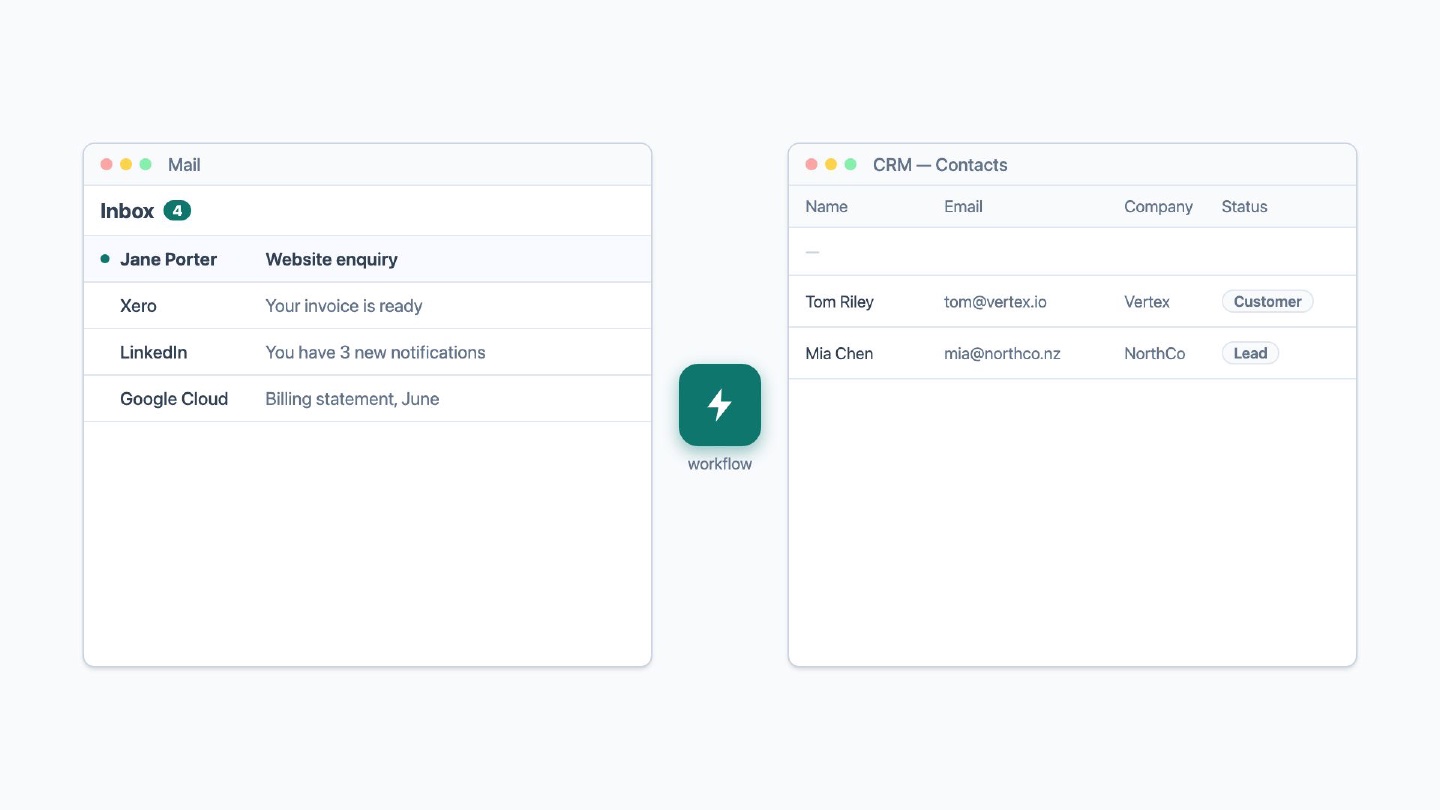
An enquiry arrives by email. Someone copies it into the CRM, messages sales, and adds a row to a spreadsheet. Ten minutes each time, twenty times a week.
I build workflows that do this work for you. The enquiry lands in your CRM, sales hears about it and the spreadsheet gets its row. Nobody copies anything.
What you get
- Data entered once instead of three times.
- No steps skipped when someone is busy or on leave.
- Your team spends its time on the decisions a workflow can’t make.
Pricing
If I can’t automate it, you don’t pay. Plans run month-to-month after an initial four months.
Starter
$500/month
- 1 active workflow
- Up to 3 connected apps
- 1 workflow change each month
- Every workflow monitored, with alerts
- If it breaks, I fix it free
Growth
$1,500/month
- 3 active workflows
- Up to 12 connected apps
- 3 workflow changes each month
- Extra workflows @ $500/month
- Extra connected apps @ $250/month
Scale
$5,000/month
- Everything in Growth
- Build on your tech stack
- Priority fixes by the next business day (same day where possible)
- Extra workflows @ $400/month
- Extra connected apps @ $200/month
How plans work
- A workflow is one trigger with up to 25 steps leading to an outcome.
- A connected app is one connected system, such as an ad platform, CRM, or database.
- You can swap workflows for reports and connected apps for data sources.
- The first four months cover the initial build. After that you can cancel at the end of any month.
- Pricing excludes GST.
What happens next
- You send the form. Describe the process your team repeats by hand. I reply within 1 business day.
- We talk for 30 minutes. You walk me through the steps as you run them today. I tell you which steps a machine can take, which judgement calls stay with your team, what it costs and how long it takes. If I can’t automate it, we stop here and you pay nothing.
- You give me access. You add me as a user in your own accounts and you remove me whenever you want. Getting this approved is the step that holds most projects up, so start it early.
- You watch it run before it takes over. Usually within two weeks of getting access. The first records come through and you tell me what the workflow got wrong.
- It runs on its own. If one fails, you get an alert and I fix it. Each month you can send me changes: a new step, a new app, a new trigger.
Questions
Do you build this in Zapier, Make, n8n, or custom code?
Whichever is cheapest to run and least likely to break for your workflows. If you want to pick the tool, choose Scale.
What happens when a workflow fails?
You get an alert and I fix it, at no cost, on every plan. Every workflow I build is monitored. If an issue gets past monitoring, I add a check for it.
What access do you need?
You add me as a user in your own accounts, at the lowest level the system allows for the job. A workflow that writes into your CRM needs write access to do that. Getting this approved is the step that holds most projects up, so it is worth starting early.
What happens if you are unavailable?
Someone else can step in if I am unavailable, though it is rarely needed. If you need fixes by a set time, choose Scale.
What happens if we cancel?
After the initial four months the plan is month-to-month, so you can stop at the end of any month. As long as we still have access, the workflows keep running as they are. You lose the monthly changes, and I stop fixing workflows that break.
Get started
Tell me what your team builds or repeats by hand. I reply within 1 business day and tell you whether I can automate it.
* indicates a required field.